
Staking/Unstaking ASTRO-xASTRO
Staking ASTRO
Step 1: Go to the Astroport Web App governance tab: https://app.astroport.fi/governance
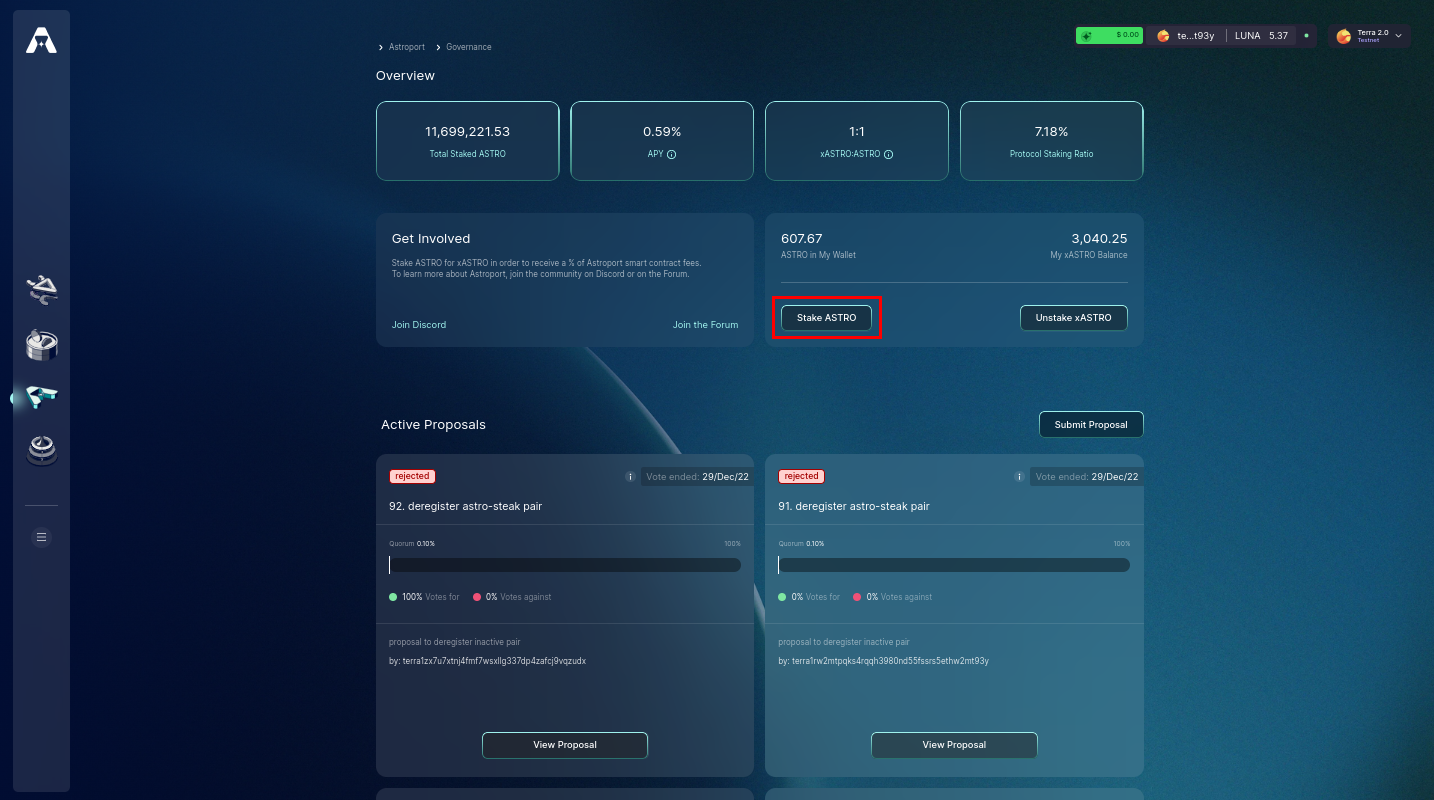
Select the "Stake ASTRO" button to move forward.
Step 2: Select the Amount of ASTRO to Stake
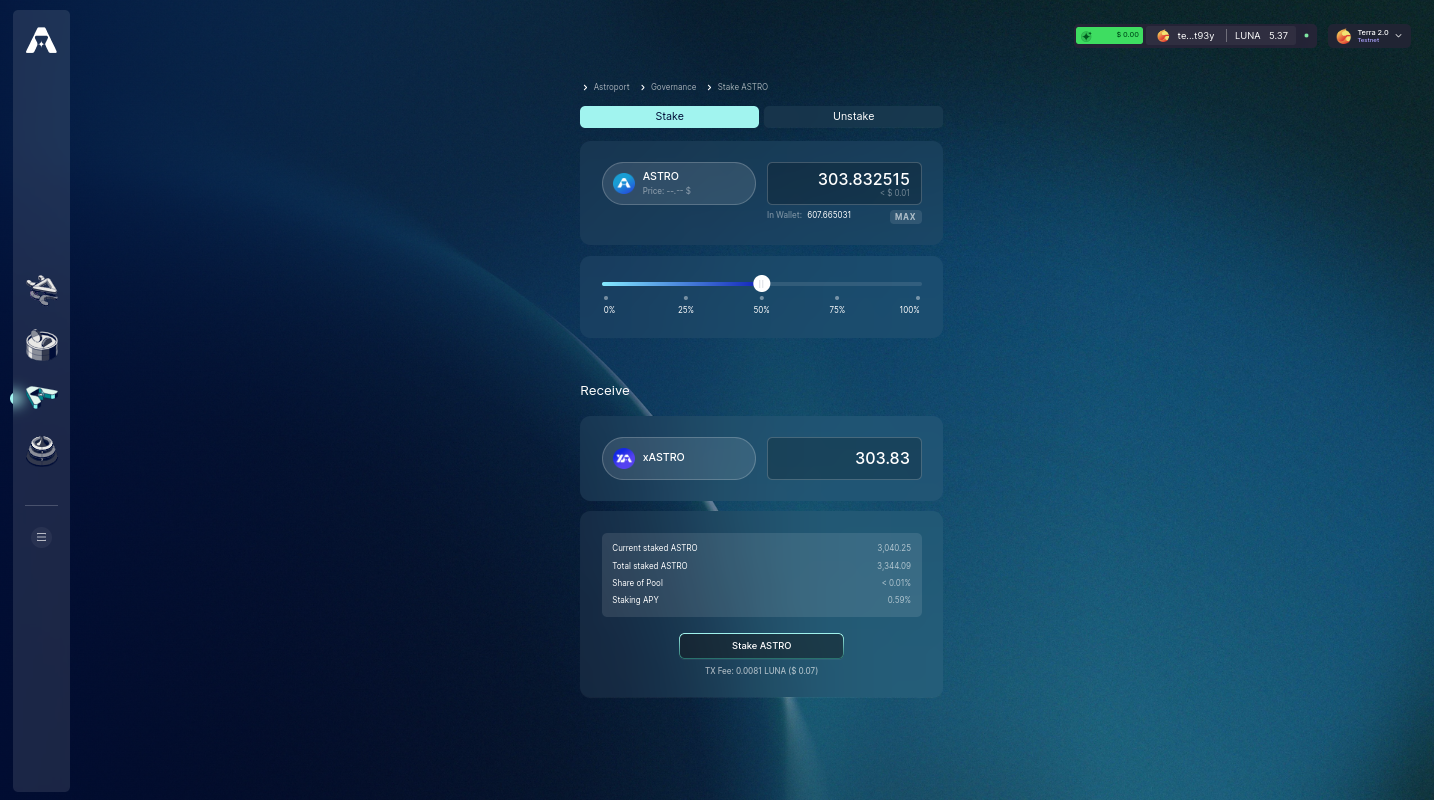
You can use the slider or click on the percentages to help you select an amount.
Step 3: Confirm Staking
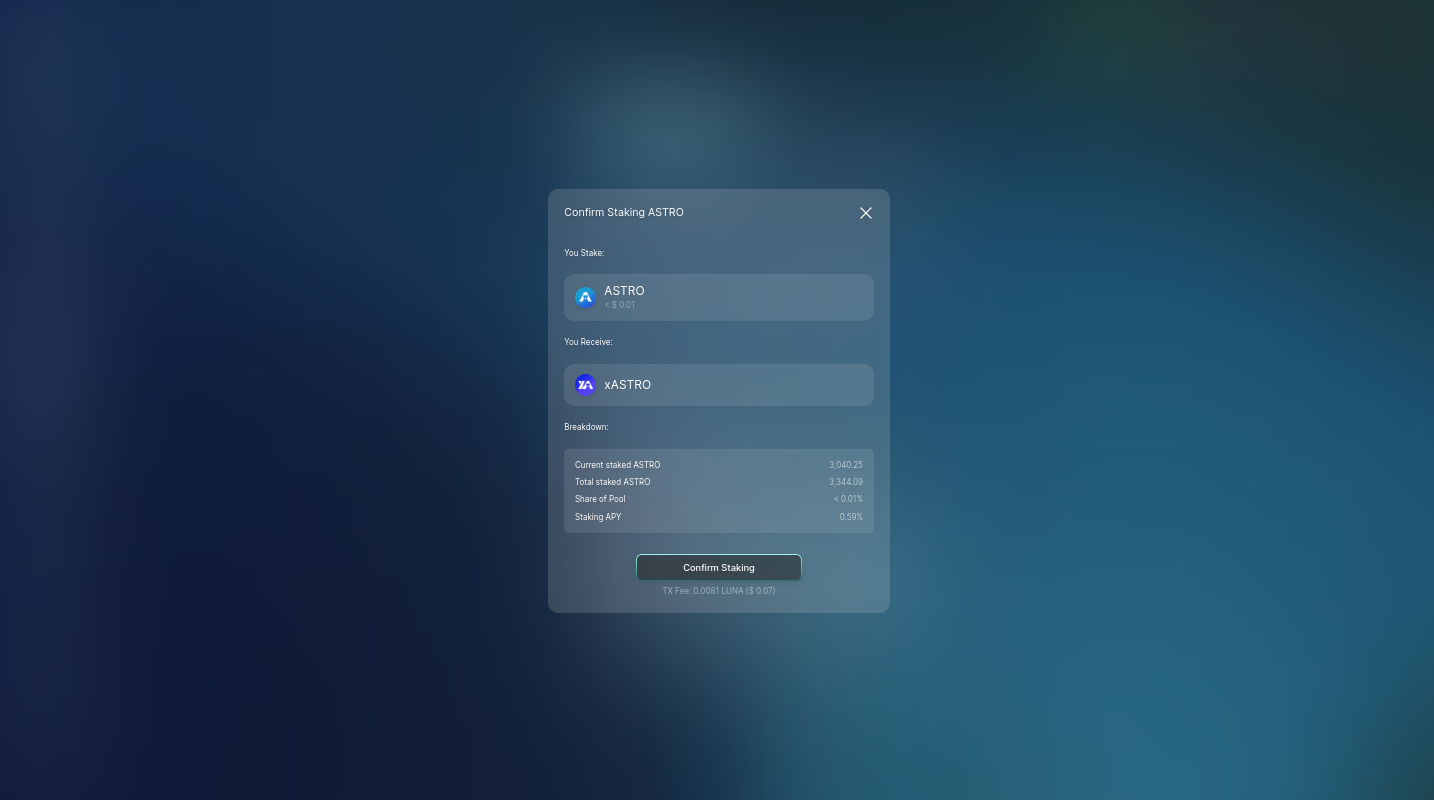
Select "Confirm Staking" to move forward.
Step 4: Sign and Broadcast Transaction!
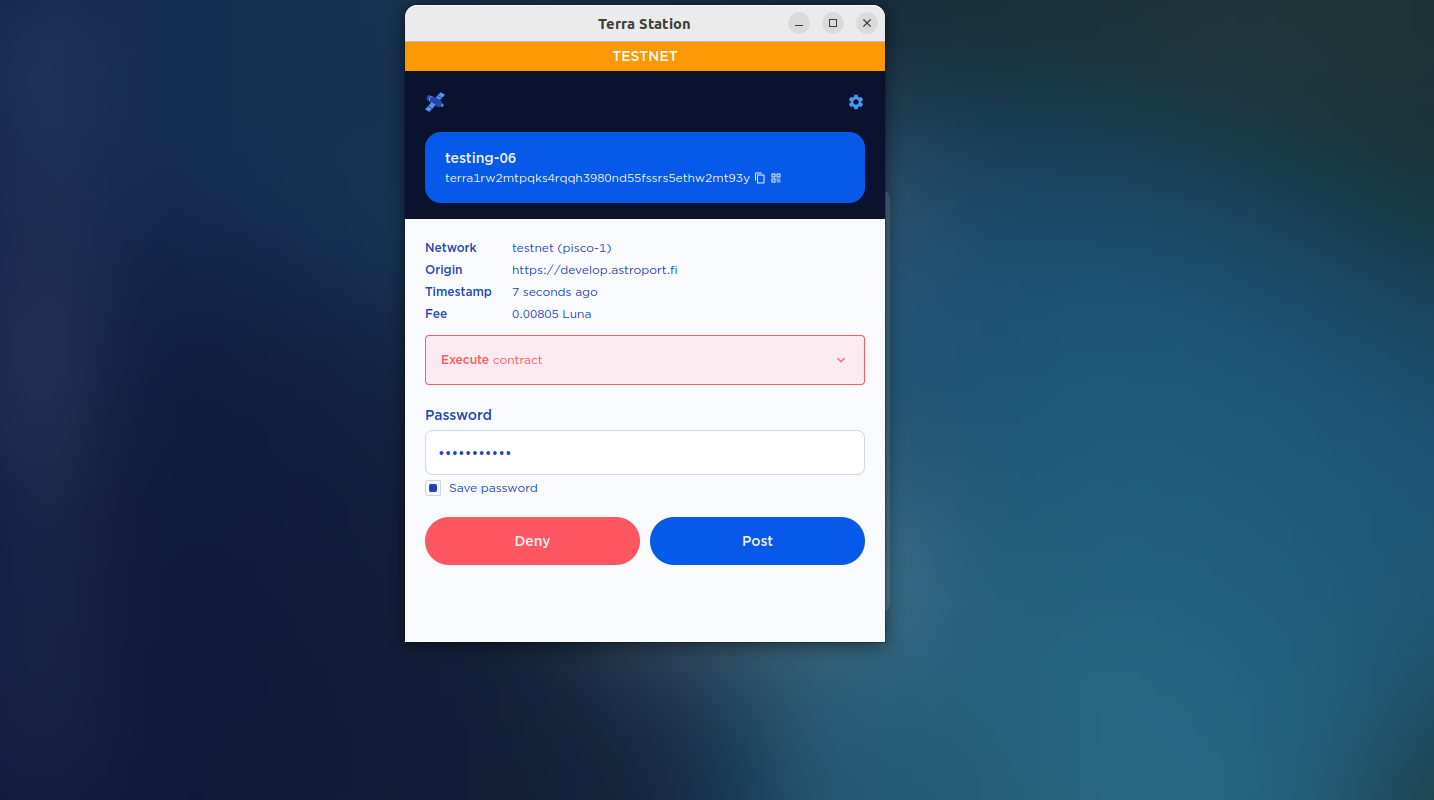
You will be prompted to sign the transaction using your connected wallet. Once the transaction is confirmed, your ASTRO has been converted to xASTRO!
Unstaking xASTRO
Step 1: Go to the Astroport Web App governance tab: https://app.astroport.fi/governance
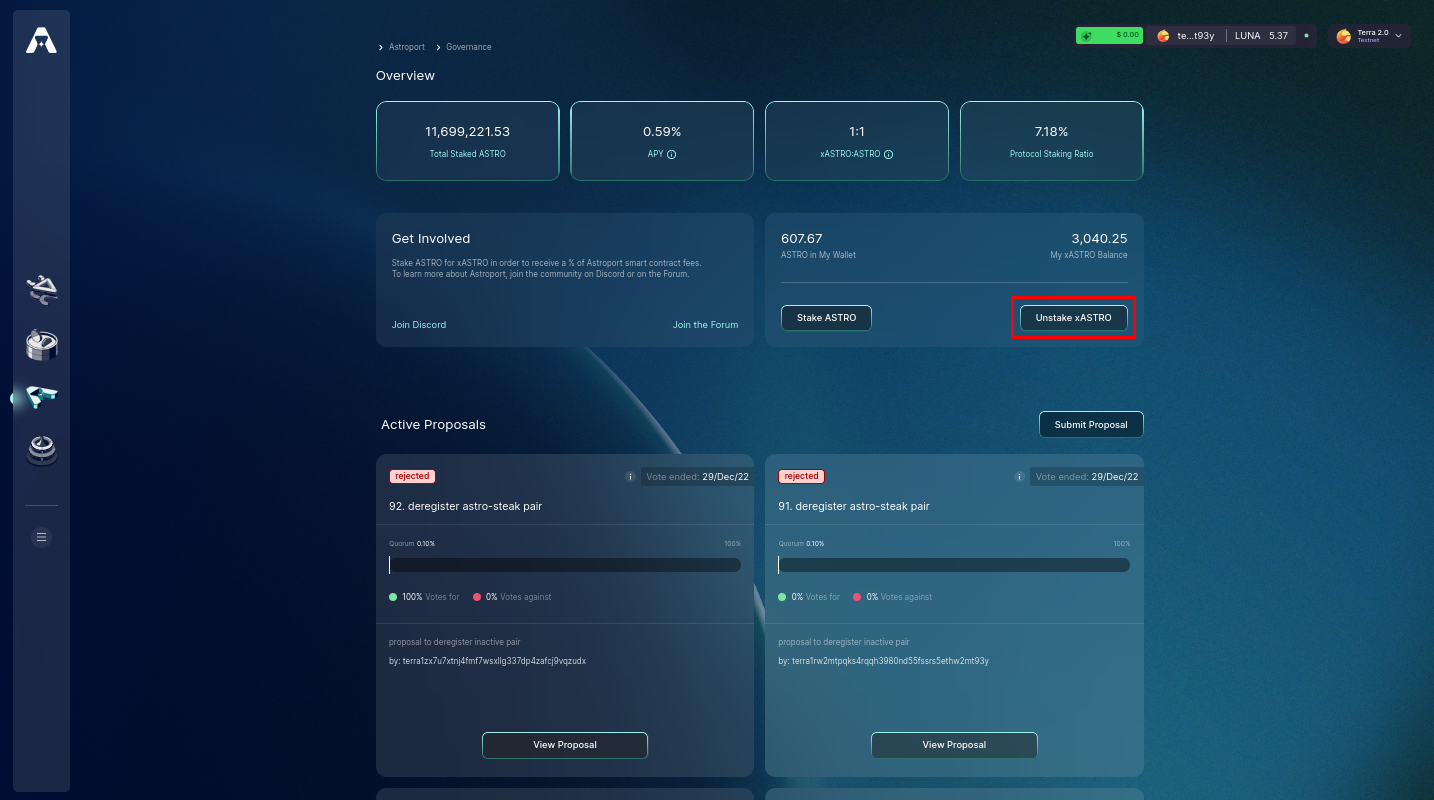
Step 2: Select the Amount of xASTRO to Unstake
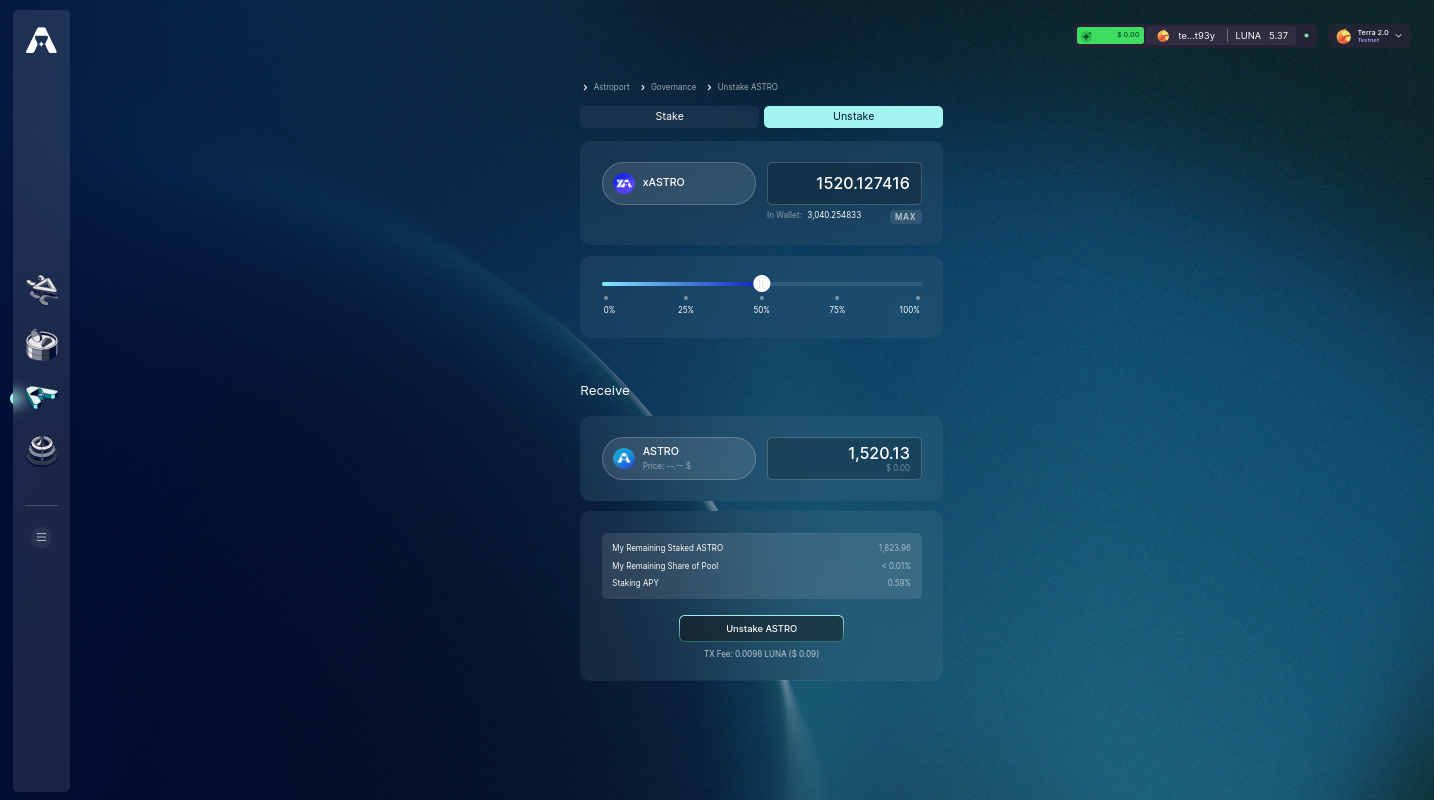
You can use the slider or click on the percentages to help you select an amount.
Step 3: Confirm Unstaking
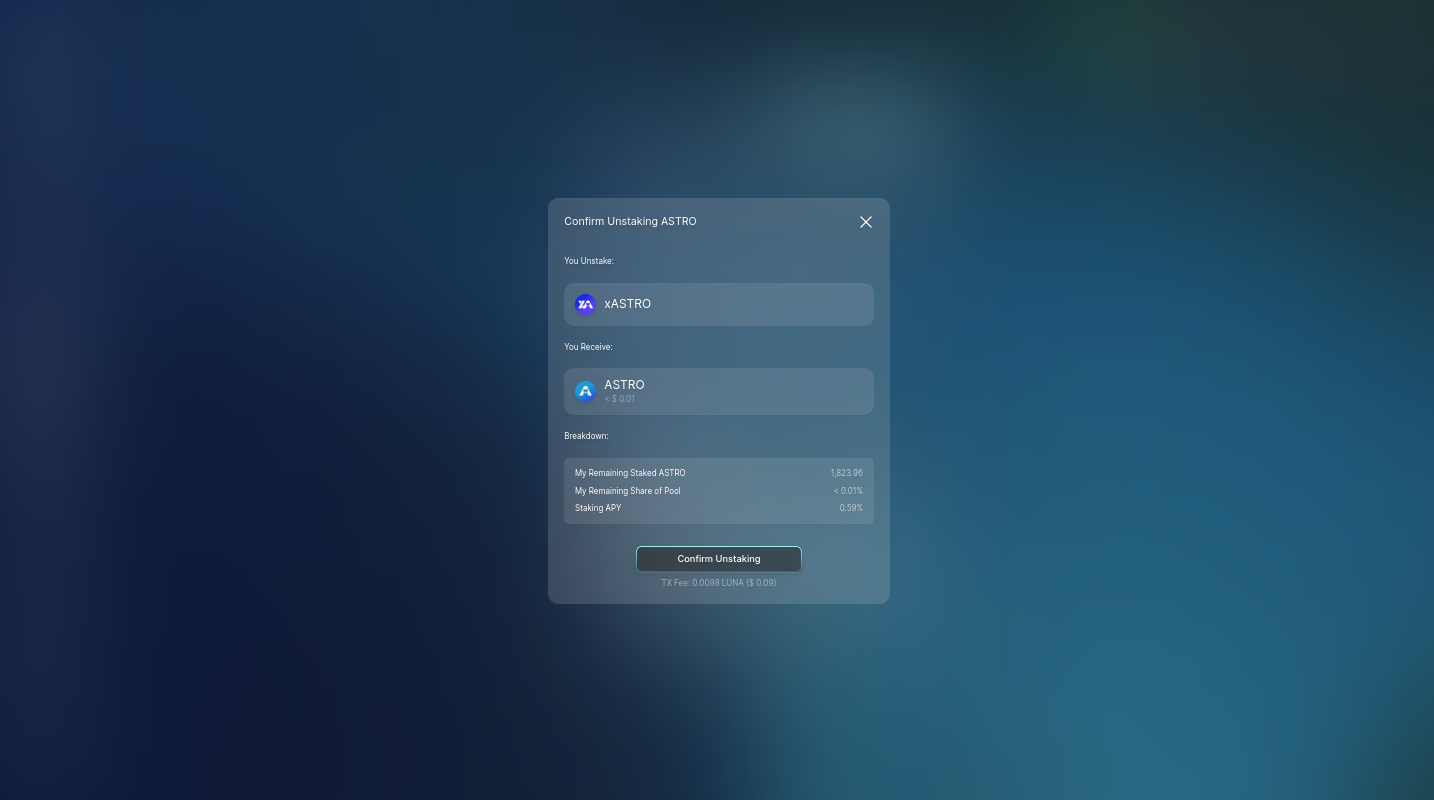
Select "Confirm Unstaking" to move forward.
Step 4: Sign and Broadcast Transaction!
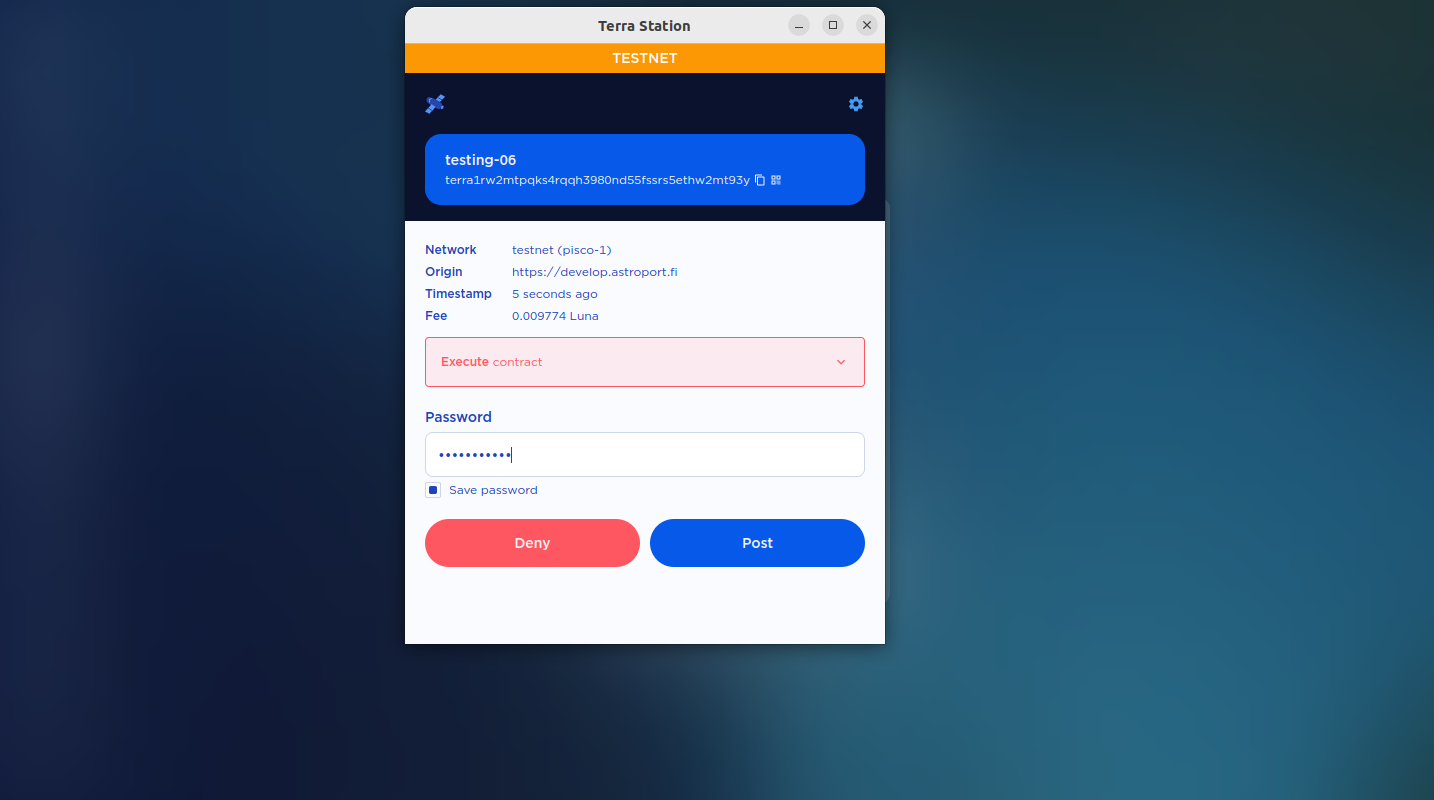
You will be prompted to sign the transaction using your connected wallet. Once the transaction is confirmed, your xASTRO will be burned. Unstaking claims the initial staked amount + accrued ASTRO since staking.